 ThingzSafe
Web portal · Household / Pro
Add and edit Things on the web
Record an item, its location and useful details.
Where to start
Web portal: Things
What is a Thing?
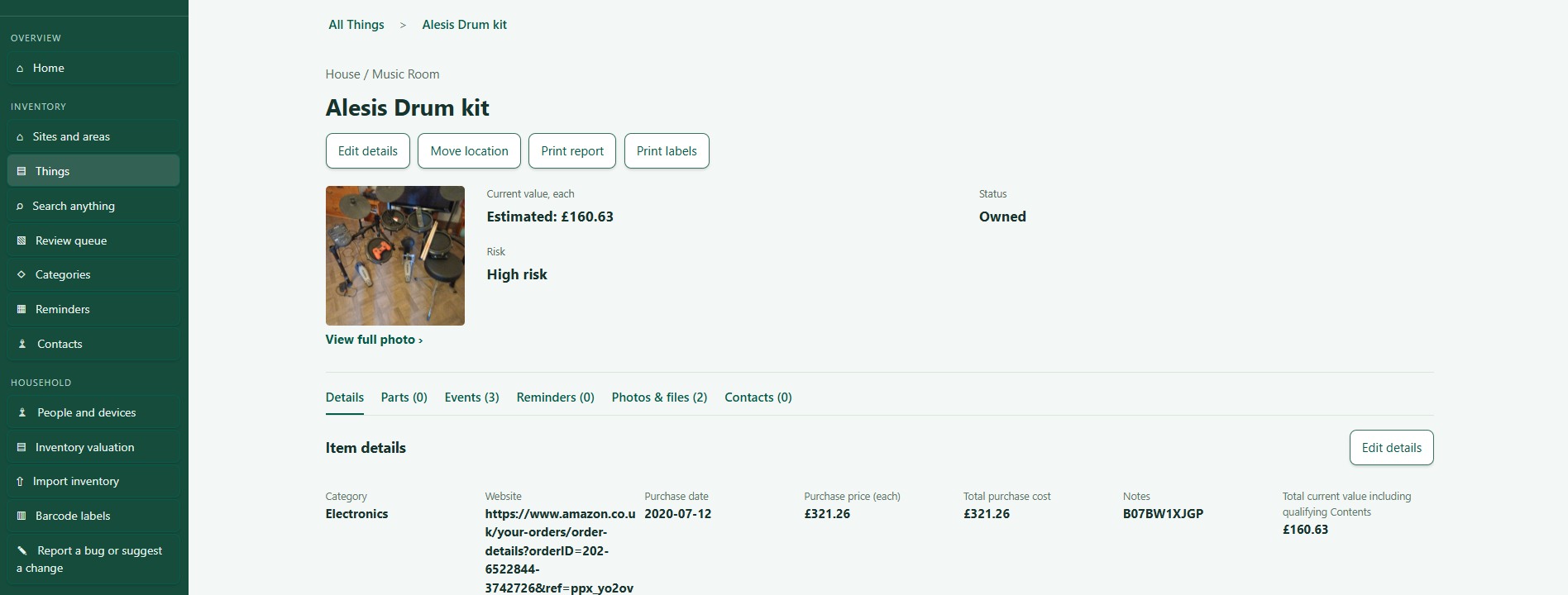
A Thing is any item you want to keep track of, such as a car, computer, cupboard or bookcase. Each Thing holds its location, photos, documents and history together.
Add a Thing
- Open Things, or go into a Site or Area first.
- Choose + Add Thing.
- Enter a name, and choose its location and Category.
- Fill in the other details you know.
- Choose Save Thing.
Edit a Thing
- Open the Thing.
- Choose Edit.
- Change the details, such as purchase details, quantity, status, warranty and current value.
- Choose Save.
Good to know: Prices and values are for one item. ThingzSafe works out the total from the quantity.
The Things list
The list starts on Owned, which shows Active and On loan Things. Sold and Disposed ones are hidden. Choose All to see everything. Sold and Disposed Things have a silver background.
Contents and Parts
- Open Contents or Parts on a Thing. They appear only if the Thing's Category allows them. Add and edit entries under the right Thing. See Thing Contents on the web.
- Contents are things stored inside. Parts are pieces fitted to it. A Part's cost is not added to the normal valuation.
Photos, events and contacts
- Photos & files: see Photos and files on the web.
- Events: see Events and history on the web.
- Contacts: see Link contacts to a Thing.
- Change warranty dates on the Thing itself, using Edit.
Need more help or have a suggestion? Contact us.
AI replacement values
With Pro, use AI beside Current value in Edit for one item. To value several, tick their AI valuation cells in Bulk Review Items. Follow the web valuation guide.