 ThingzSafe
Android
Photos, documents and downloads
Keep photos and documents with the item they describe.
Where to start
Android: Home Site Area (optional) Thing Photos & files
Add a photo or document
- Open the Thing.
- Tap Photos & files.
- Tap + Add photo or document.
- Choose to take a photo, pick one from your gallery, or attach a file.
Good to know: Photos can be JPG, PNG or WebP. Documents can be PDF, DOCX, XLSX, CSV, TXT or RTF. Each file must be no larger than 20 MB.
Manage your photos and documents
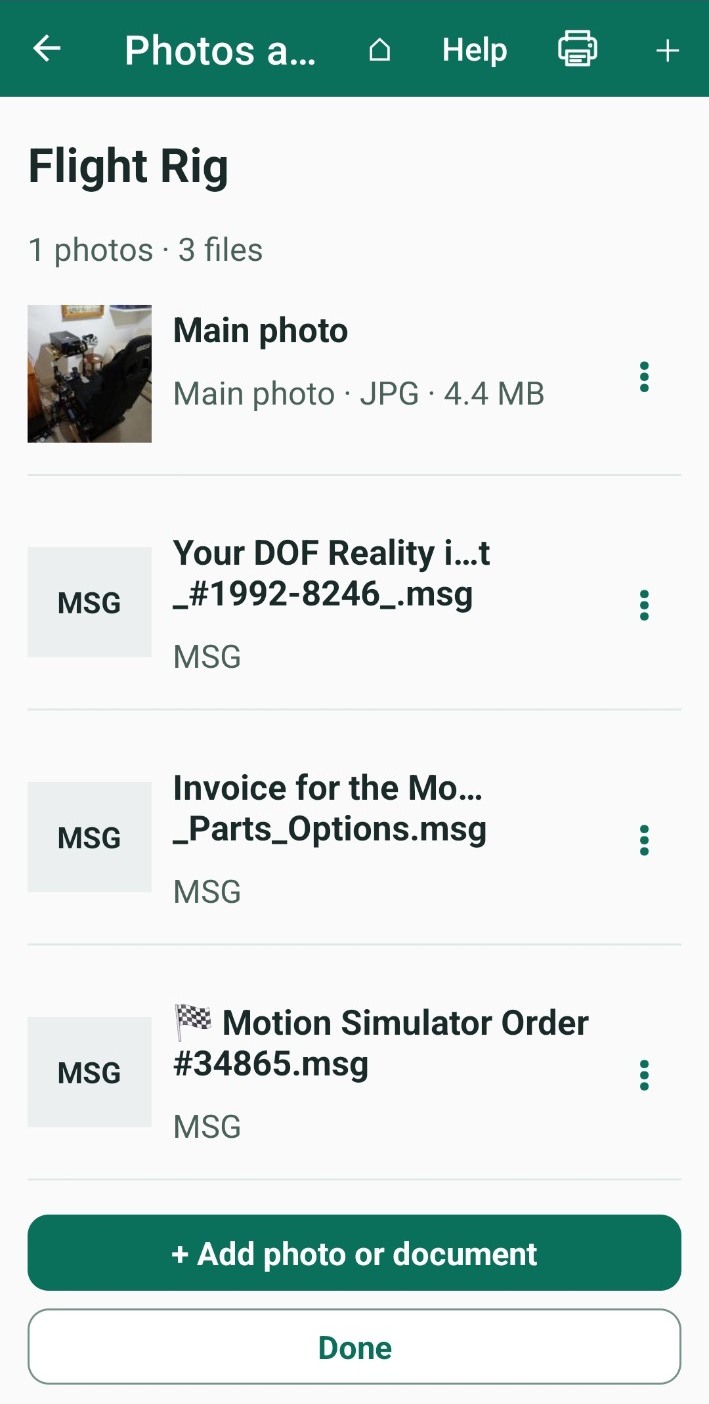
- Photos and documents are listed in rows. Long file names are shortened to fit the screen.
- Tap a photo to open it full screen. See Zoom a photo.
- Tap a document to open it in another app on your phone.
- Tap the three-dot menu beside a file to see what you can do with it, including making it the main photo, downloading it, or deleting it.
- You are always asked to confirm before anything is deleted.
Need more help or have a suggestion? Contact us.