 ThingzSafe
Web portal · Household / Pro
Import inventory
Bring inventory records in from a supported file.
Where to start
Web portal: Import inventory
Prepare the file
- Open Import inventory and choose a file. The importer reads CSV files and common spreadsheets.
- Use one row for each record, with a clear heading for each column.
- Keep a copy of the original file.
Map, preview and import
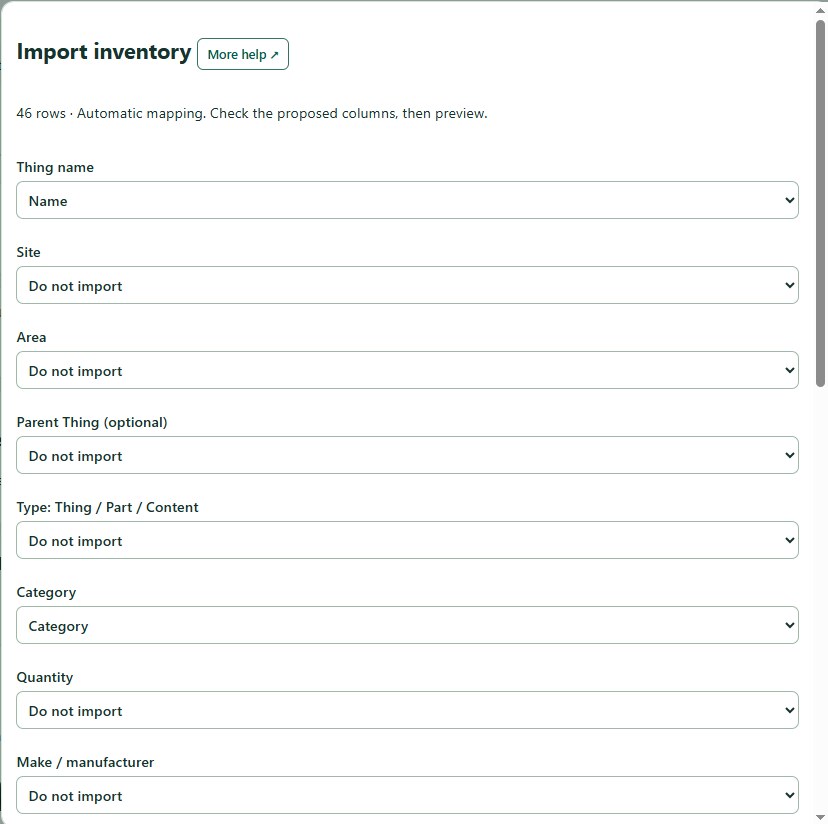
- Choose Read file and map fields.
- Match each column to a field, and choose where the items should go.
- Choose Preview import. Check the quantities, dates and values.
- Fix any errors it reports.
- Choose Import valid rows.
- Afterwards, open a few records and compare the counts with what you expected.
Good to know: Tick Mark imported items for review to find them again in the Review queue.
Good to know: Photos and files are not brought in by the importer. Add them to each Thing afterwards. The importer may not work with the export from every other inventory app.
Need more help or have a suggestion? Contact us.