 ThingzSafe
Web portal · Household / Pro
People, invitations and devices
Invite household members and manage their access.
Where to start
Web portal: People and devices
Who can use this screen
People and devices is for the household owner only, who is the person who pays for the plan. The owner can see members, pending invitations and registered devices. Invited members cannot open it.
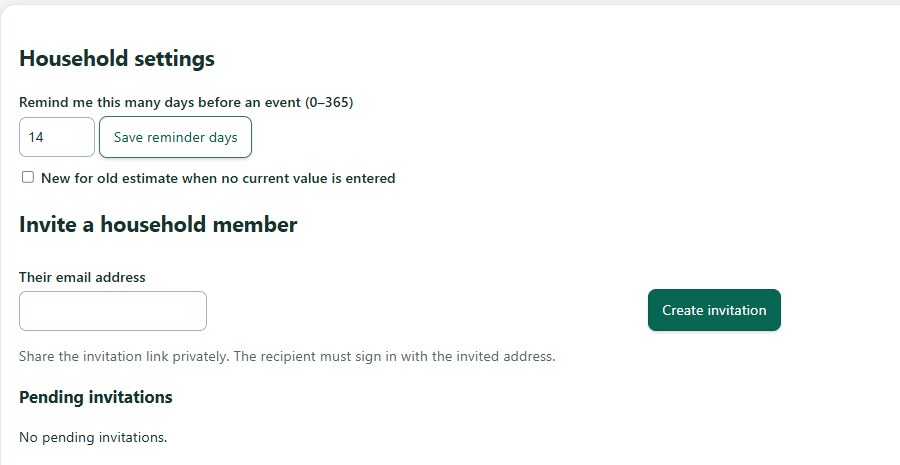
Invite someone
- Open People and devices.
- In Invite a household member, enter the email address the person will use to sign in.
- Choose Create invitation.
What happens next: The invitation lasts seven days. Tell the person to look for your email and check their Spam or Junk folder. Gmail sometimes filters it.
Good to know: You can also invite people from the Android app. See Create or join a household.
Help the invited person join
- They use the invitation email and code from you. They do not need a plan of their own.
- The app checks the code and that the email matches the invitation.
- Joining replaces what is on their phone with the household's inventory. They should back up anything they want to keep.
Remove a person or a device
- In People, remove a member. In Devices, remove a device that is lost or no longer used.
- Removing access stops their future syncs. It cannot erase information already on their device.
Device limit
A Household plan supports up to ten registered devices, including browsers. Remove unused devices when you reach the limit.
Need more help or have a suggestion? Contact us.