 ThingzSafe
Web portal · Household / Pro
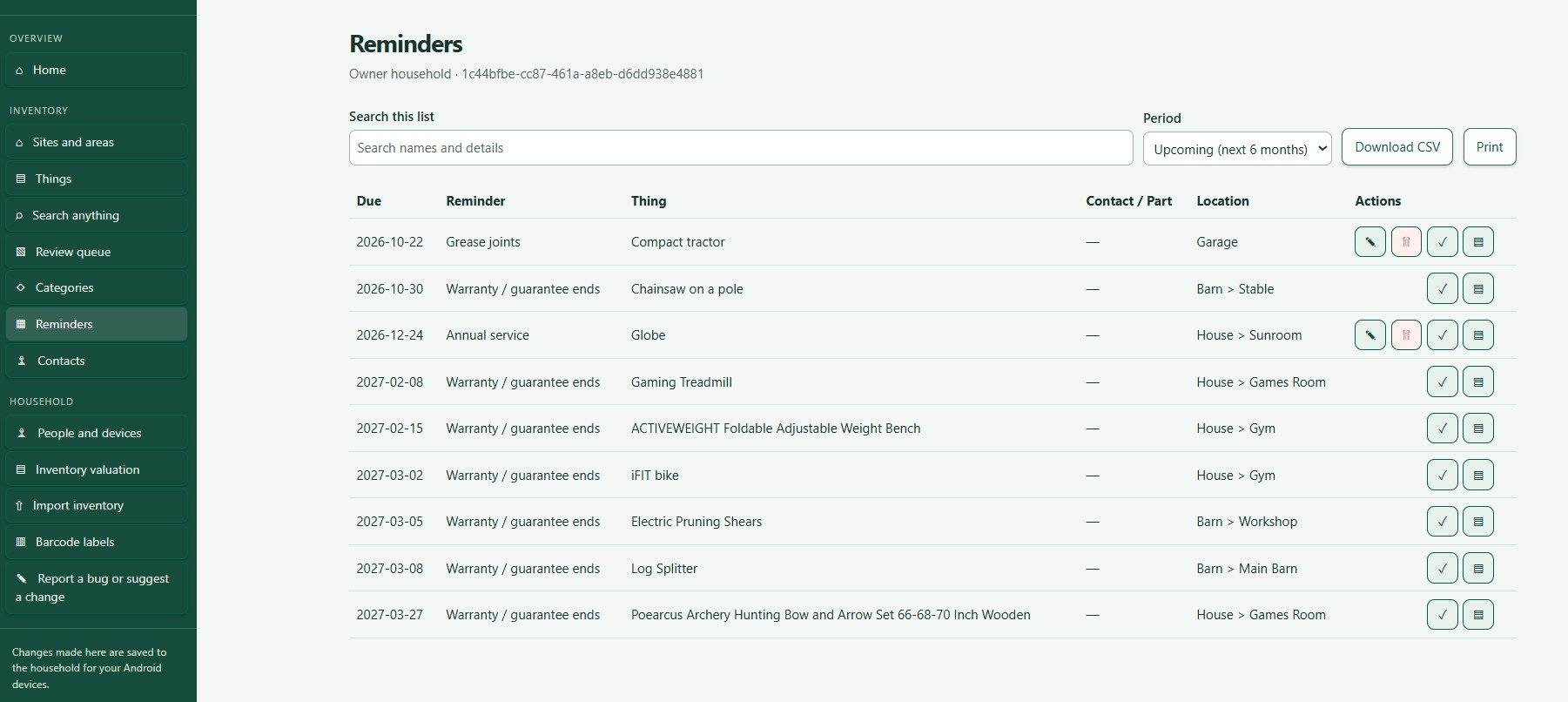
Reminders on the web
Schedule tasks and keep track of their completion.
Where to start
Web portal: Reminders
Upcoming dates
- Home shows upcoming reminders using the reminder window set in the Android app, plus anything overdue. It does not show every future date.
- The Reminders list has its own Period filter, with past, future and all dates. It is separate from the Home window.
Add a reminder
- Open Reminders.
- Choose + Add reminder.
- Pick the Thing, enter a title and date, and a repeat if you want one.
- Choose Save reminder.
Complete a reminder
- Open the reminder and check the Thing it belongs to.
- Choose Mark reminder done.
What happens next: A repeating reminder moves to its next date and keeps its history.
Good to know: Change warranty dates on the Thing itself, using Edit. Use the reminder's edit button for reminders you added yourself.
Need more help or have a suggestion? Contact us.