 ThingzSafe
Turn photos into a starting inventory
Photograph shelves, collections or equipment on Android. Review recognised names, quantities and possible matches before saving new items.
Explore bulk AI recognitionSmall details. Big difference.
Capture, organise and find your belongings—on Android, with an optional shared web inventory.
Included with Pro
Photograph shelves, collections or equipment on Android. Review recognised names, quantities and possible matches before saving new items.
Explore bulk AI recognitionCompare real source listings, review delivery and choose the per-item value you want to keep, on Android or web.
Explore AI replacement valuationsAdd, use, locate and count stock by voice. Quick modes help with repeated entries in one cupboard or storage Thing.
Explore Alexa voice controlPro
Pro includes everything in Household, plus AI photo recognition and replacement values, Alexa voice control, and the tools for people who lend and hire out equipment, sell or dispose of things, or track details that are special to them. Tap a Pro feature on a lower plan and ThingzSafe will tell you what it needs.
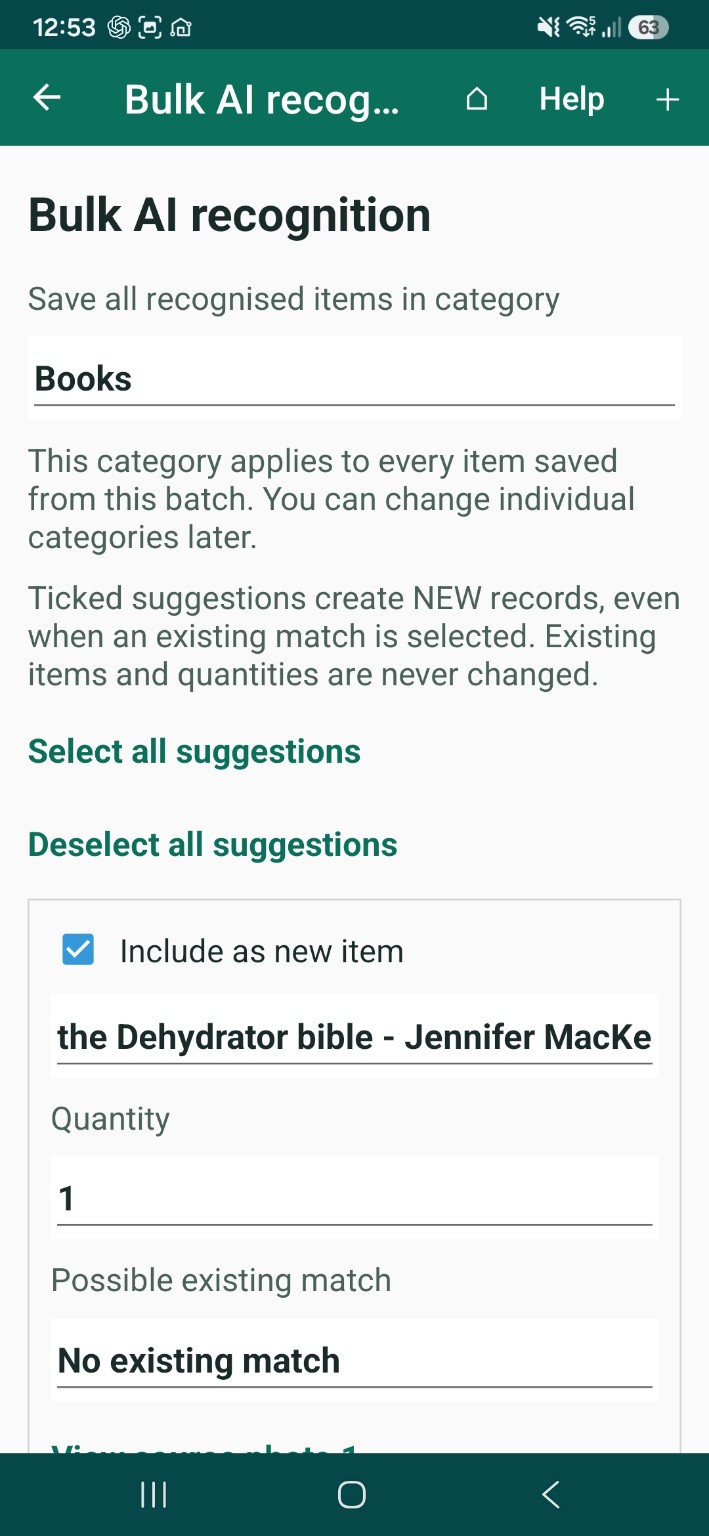
Pro · Bulk photo recognition
For anyone facing a bookcase, a workbench or a barn store that needs cataloguing. Take up to ten photos and ThingzSafe suggests the items it can see, ready for you to check and save.
Pro · AI replacement valuations
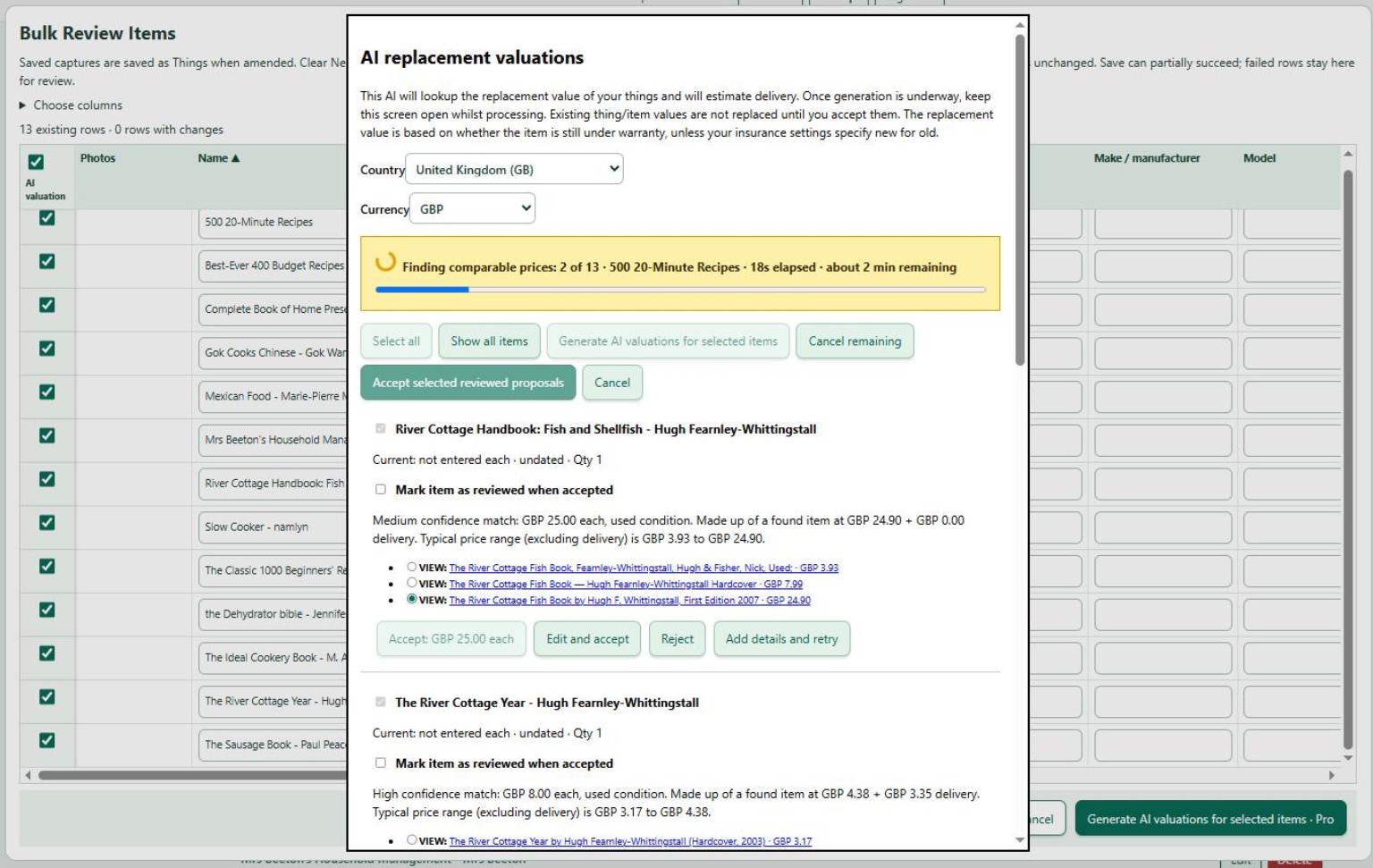
For anyone who wants current replacement values in their records. ThingzSafe finds comparable listings for an item, estimates delivery and proposes a value you can keep.
AI estimates can be wrong, so check the listings. This is a practical record-keeping aid, not a formal insurance assessment.
See how it works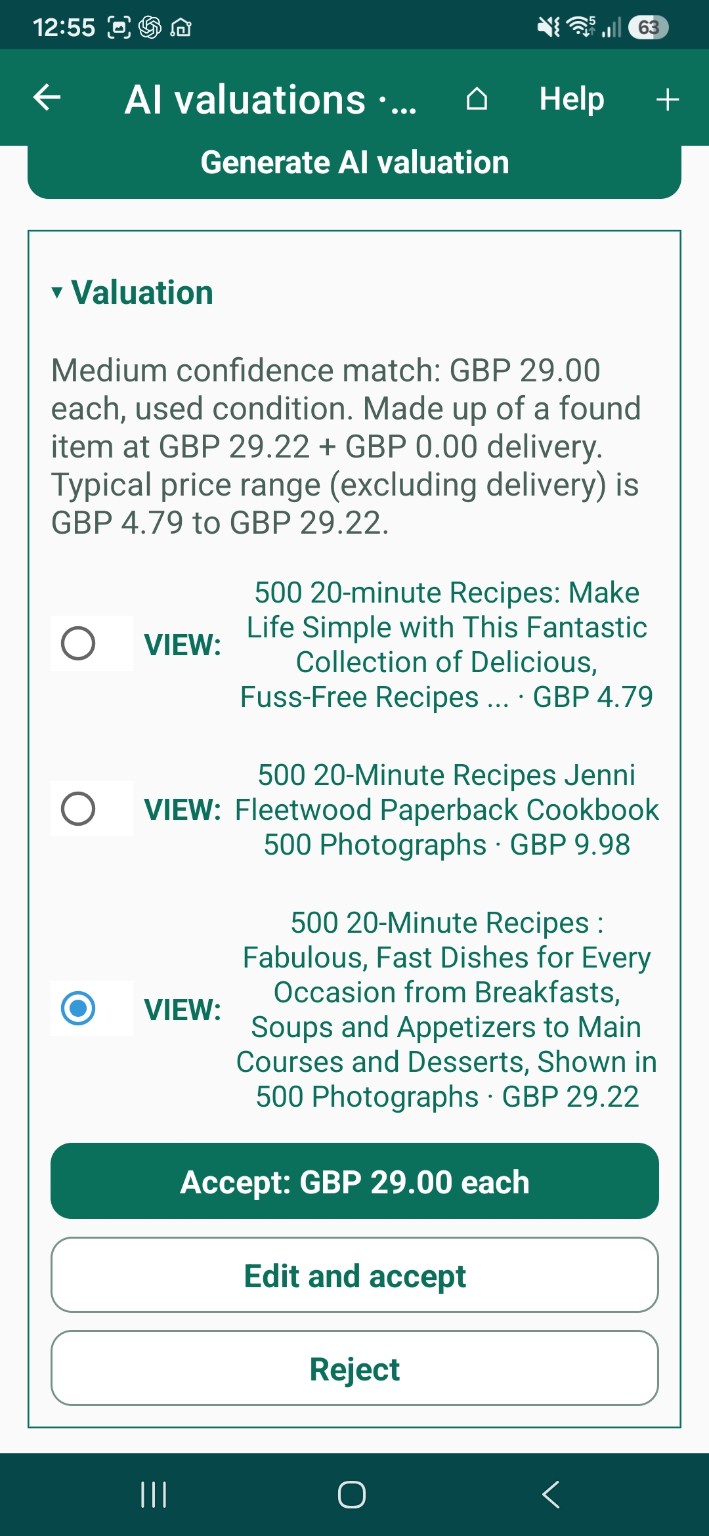
Included with Pro
Keep your hands free, at home or at work. Add stock, use it up, find it and count it by voice. Alexa voice control is included with Pro.
| You want to | You say | What happens |
|---|---|---|
| Add stock | “Add four tins of tomatoes to the kitchen cupboard.” | The quantity goes up by four. |
| Remove stock | “Remove a tin of tomatoes from the kitchen cupboard.” | The quantity goes down by one. |
| Check a quantity | “How many tins of tomatoes are in the kitchen cupboard?” | Alexa reads out the quantity. |
| Find something | “Where do I have tomatoes?” | Alexa lists the places and quantities. |
Pro · Data tables
For anyone who records counts, costs or readings over time, such as livestock numbers, feed, mileage or machine hours. Make a table for a Site, Area or Thing and fill it in as you go.
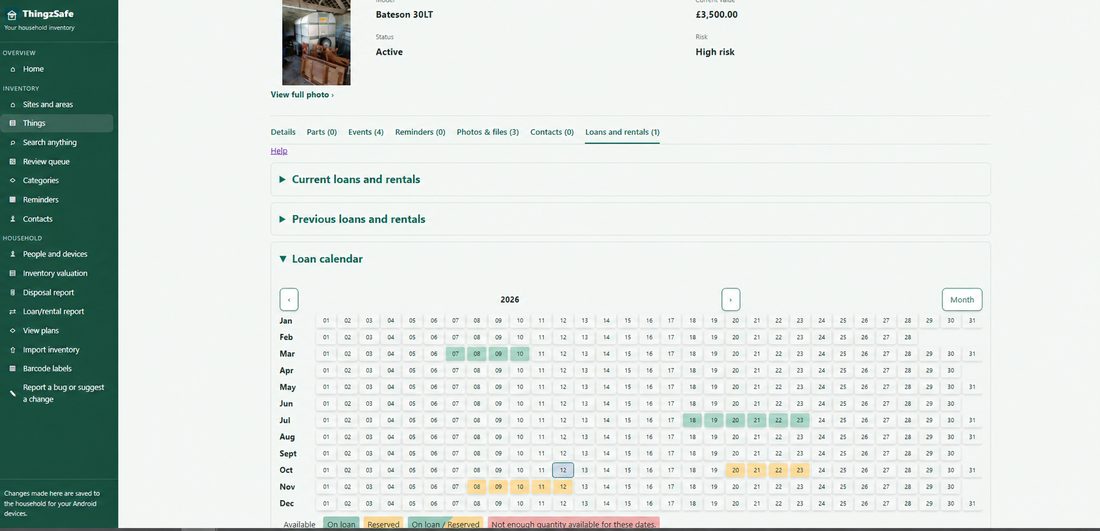
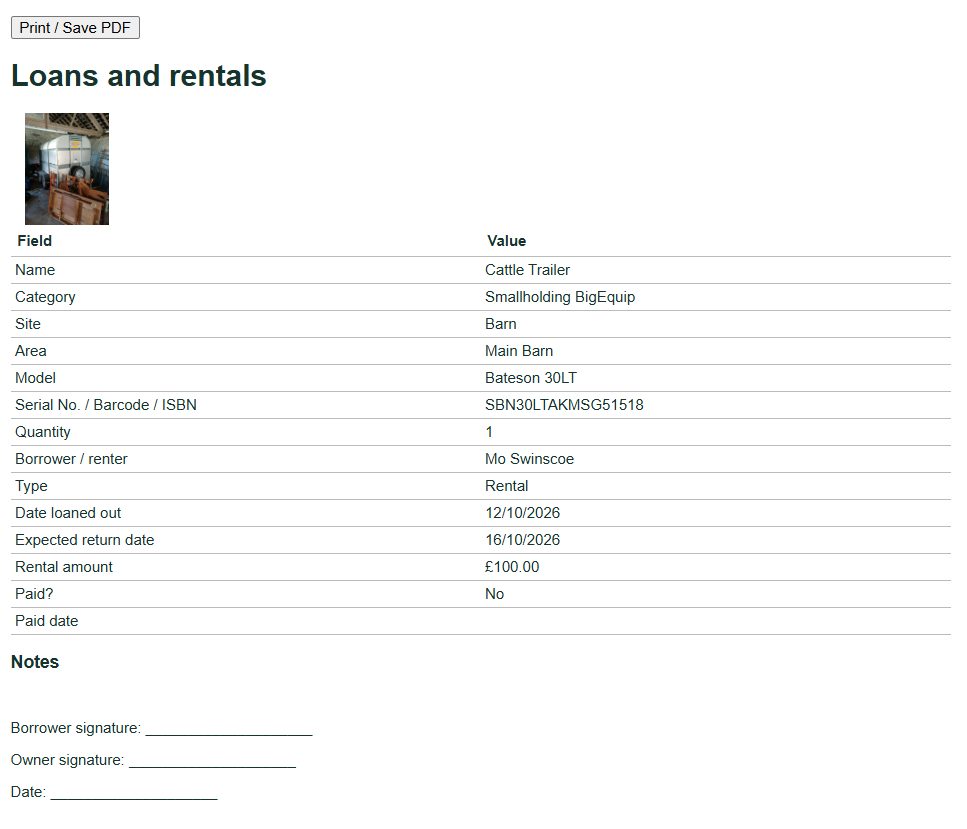
Pro · Loans and rentals
For anyone who lends tools, hires out equipment or lets friends borrow things. Always know where it is and when it is due back.
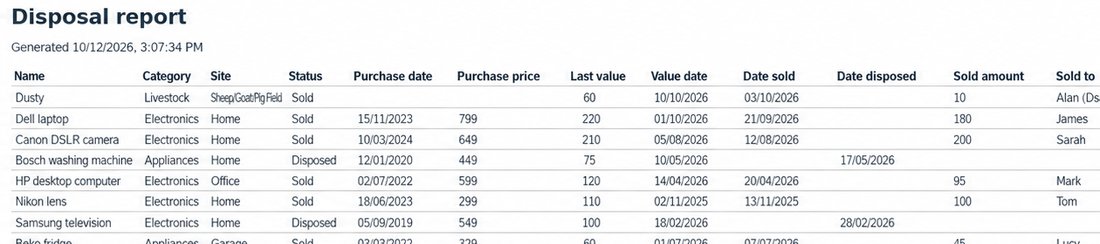
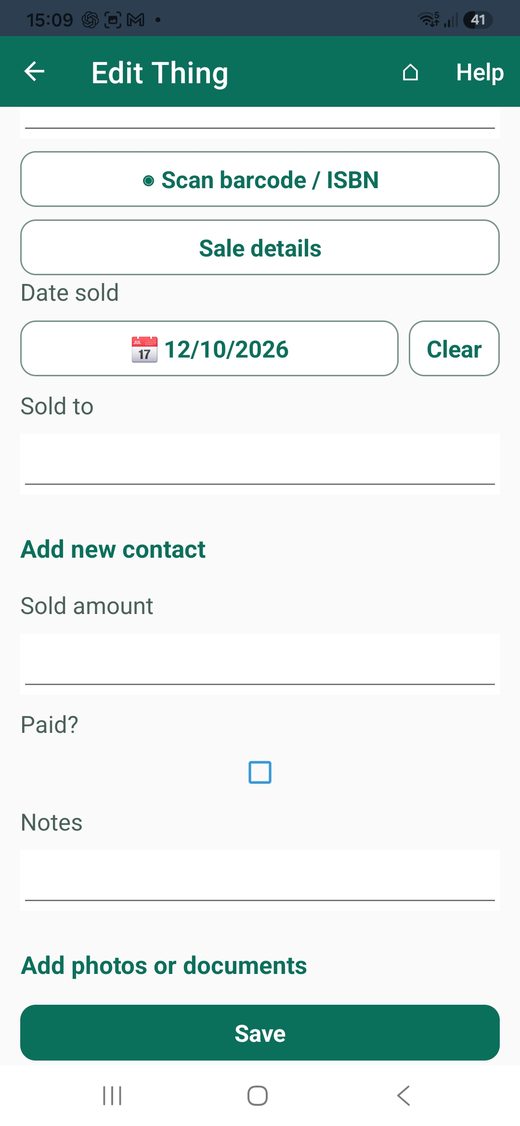
Pro · Sale and disposal tracking
For anyone who sells on, donates or throws things out. Record what you got for it and whether you have been paid.
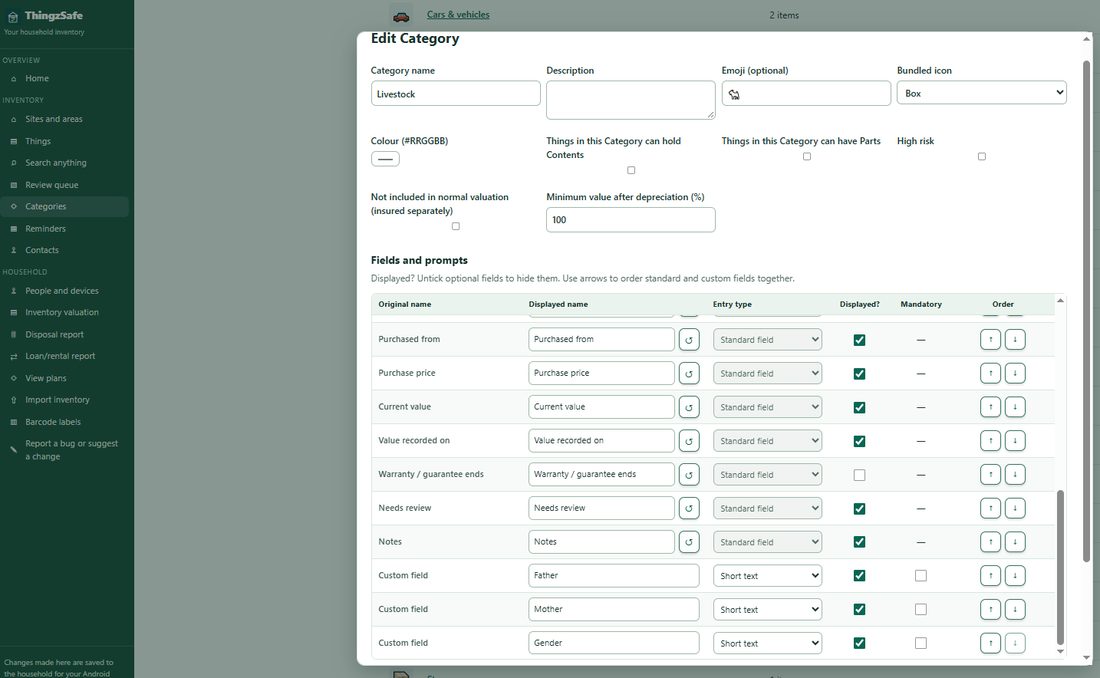
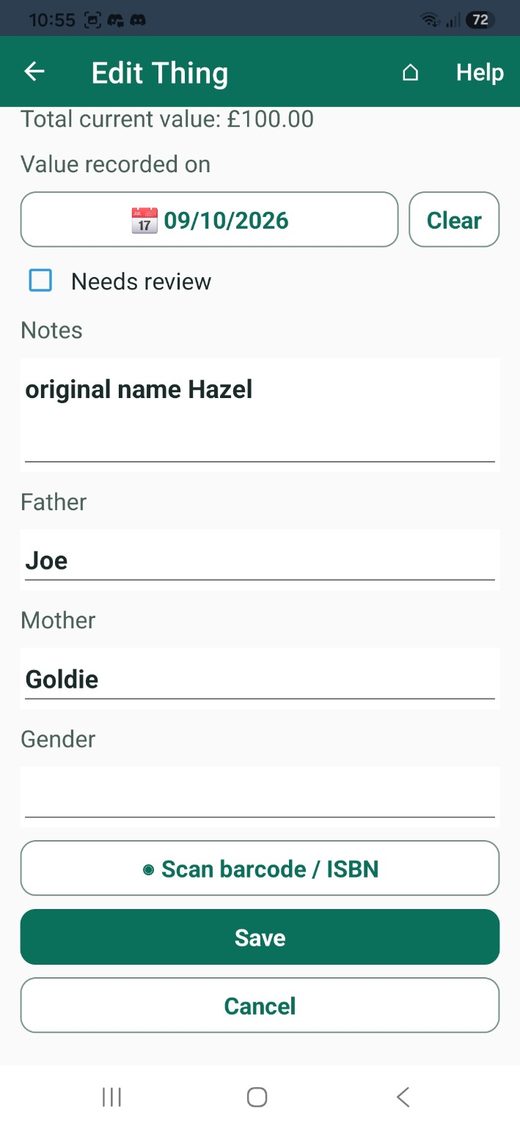
Pro · Your own fields
For farms, businesses, clubs and collections. Add the information your kind of inventory needs, such as service dates for machinery, or parents and gender for livestock.
Ready for more?
Pro is £59.99 / year (UK price including VAT). Google Play shows the price for your country at checkout.
Compare plans01 / Android inventory
Take several photos of a Thing, scan its code, or quickly save a photo to review later. Add a comma-separated list of names when you want to get started without stopping for every detail.
Read the guide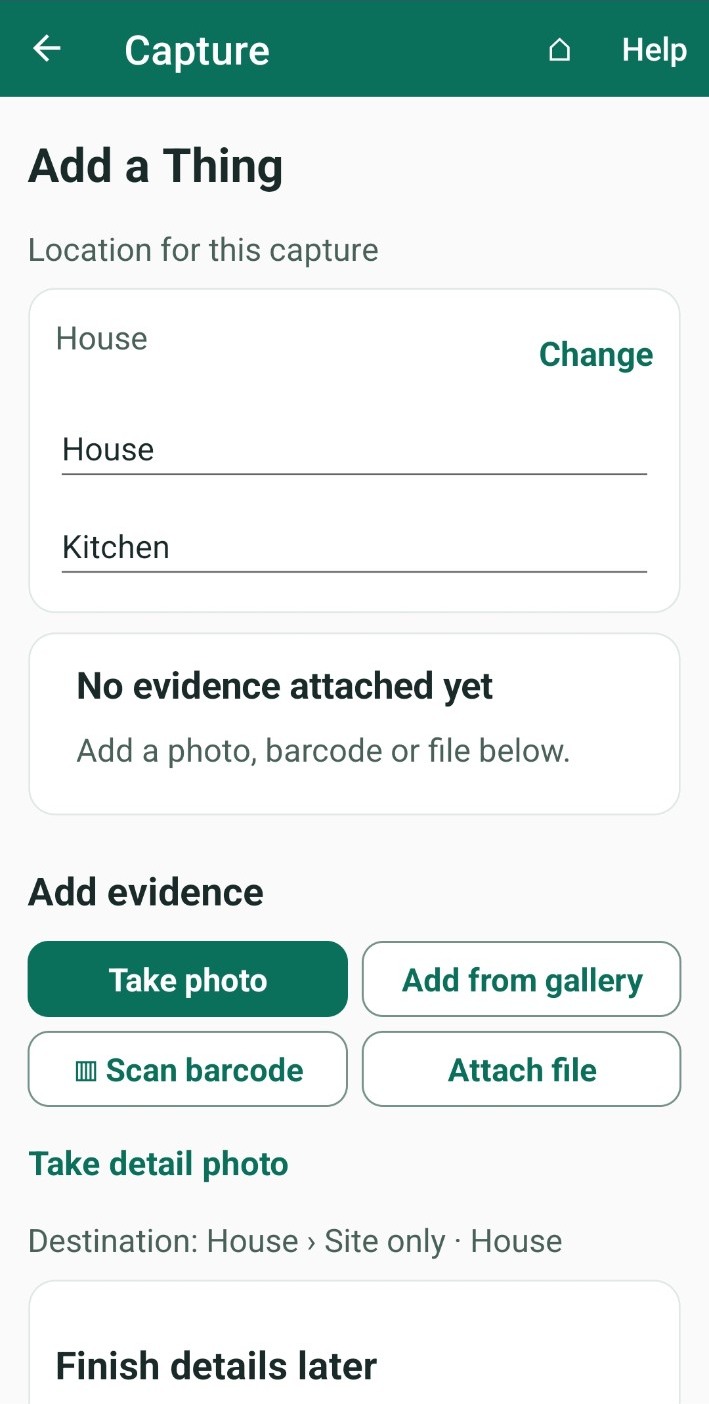
02 / Android inventory
Contents are stored inside an item, while Parts belong to it. Add only the detail you need.
Read the guide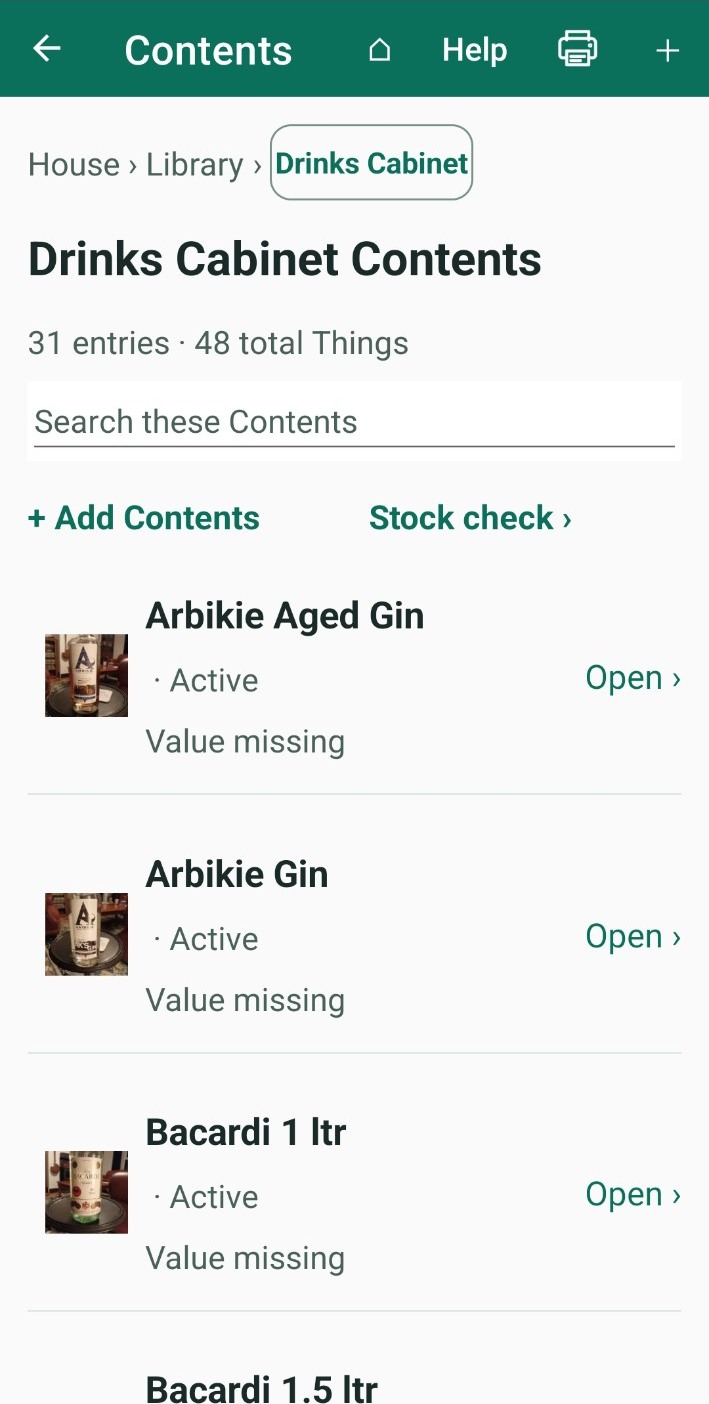
03 / Android inventory
Keep purchase information, warranties, receipts, events and recurring reminders with the right Thing. Search names, models, codes and notes when memory is not enough.
Read the guide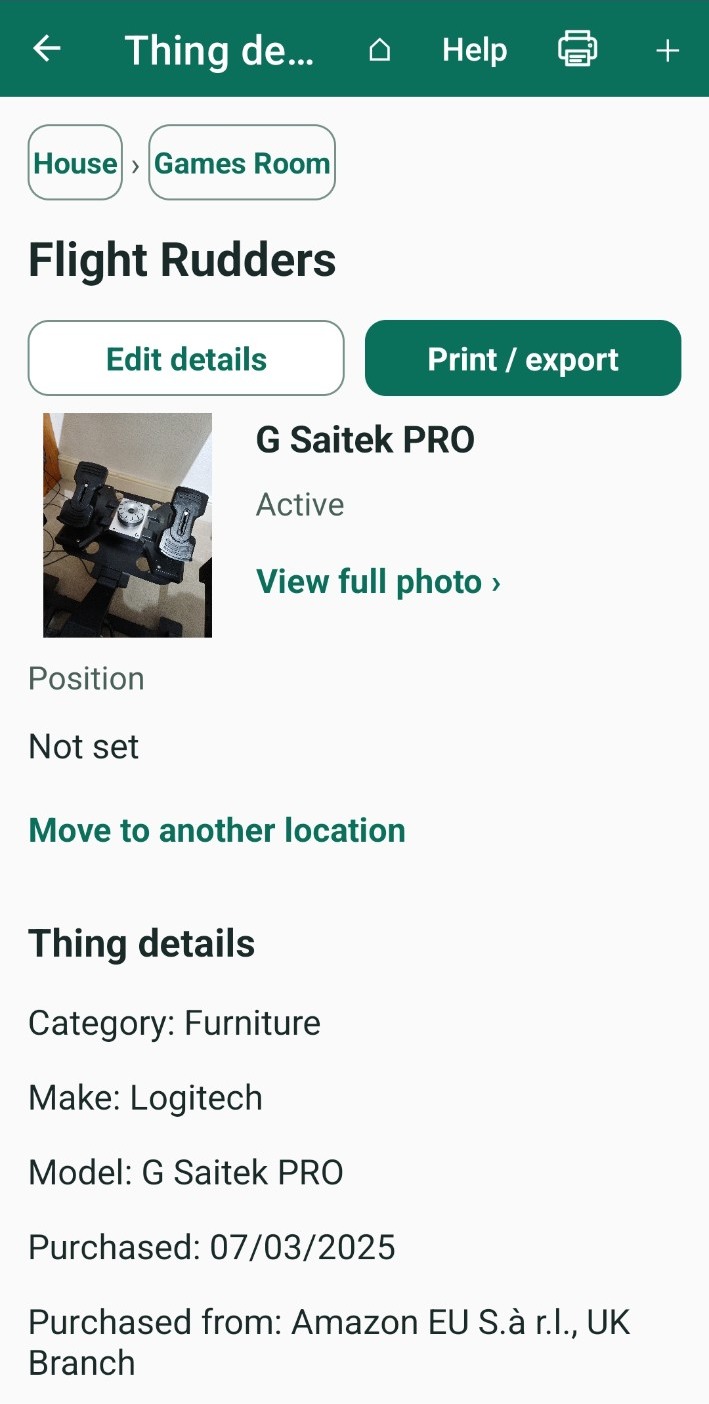
04 / Android inventory
A Review queue keeps unfinished captures and locations that still need checking visible. Return later to add identifying details and confirm the information.
Read the guide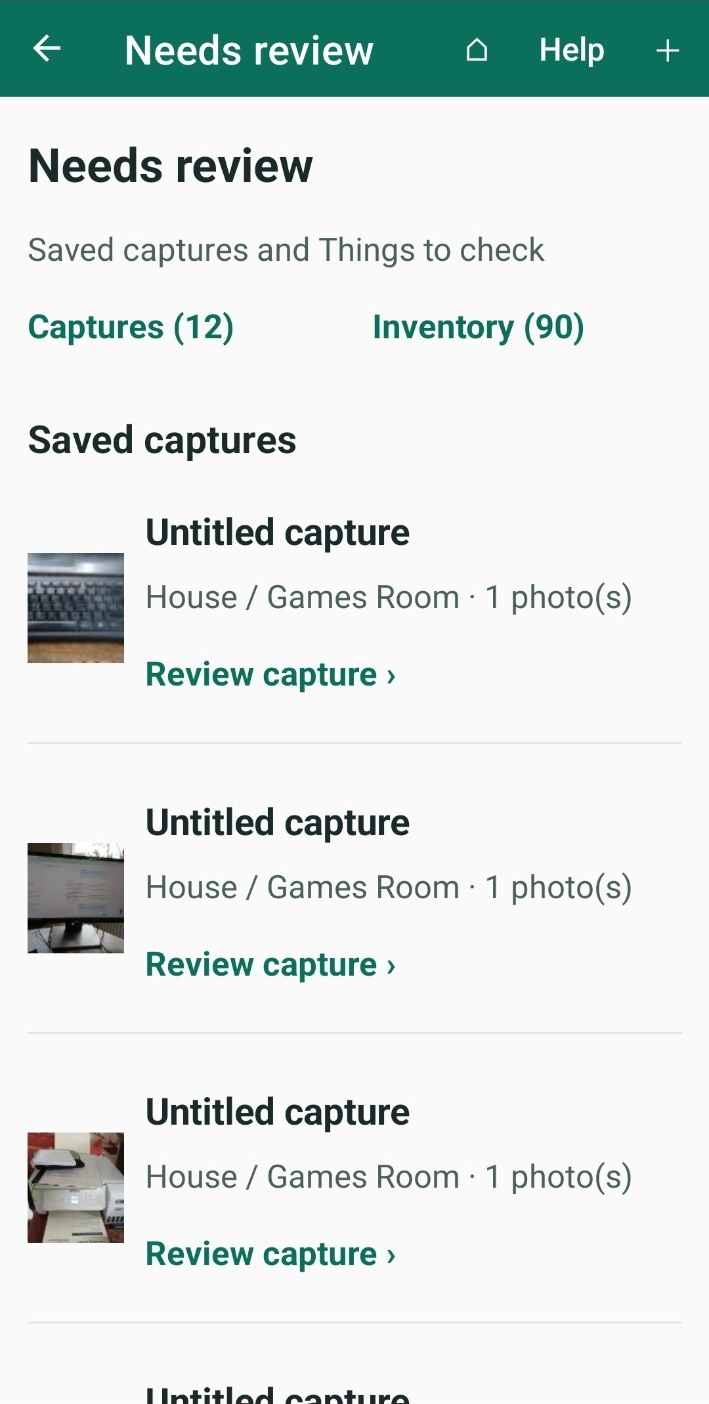
05 / Household web portal
Use the Household web portal for browsing, editing, review, imports, valuation reports and barcode labels. Editing many records at once in a table makes several changes easier to review together.
Read the guide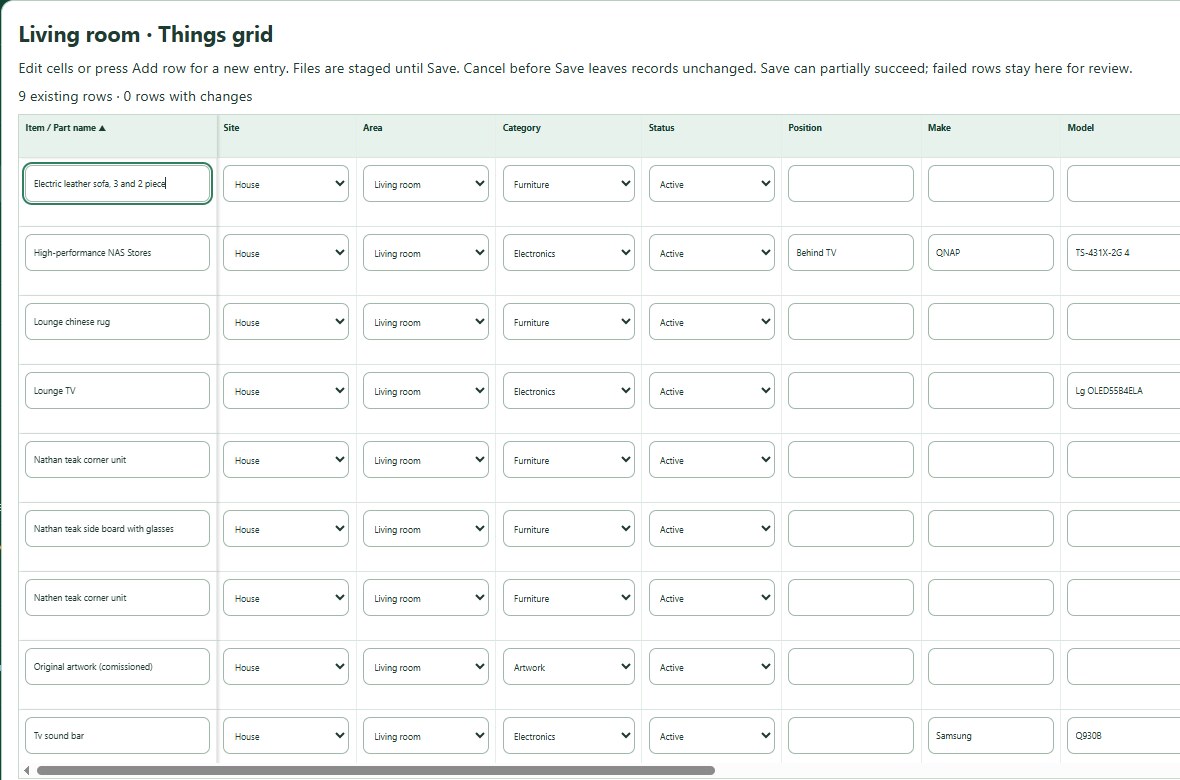
Household · ChatGPT and API
Which cameras have a receipt? What are my tools worth? Connect ChatGPT to your household and ask in everyday words. Or use the developer API to connect your own applications.
Included with Household and Pro. ChatGPT is a separate service from OpenAI and can make mistakes, so check its answers.
See what you can ask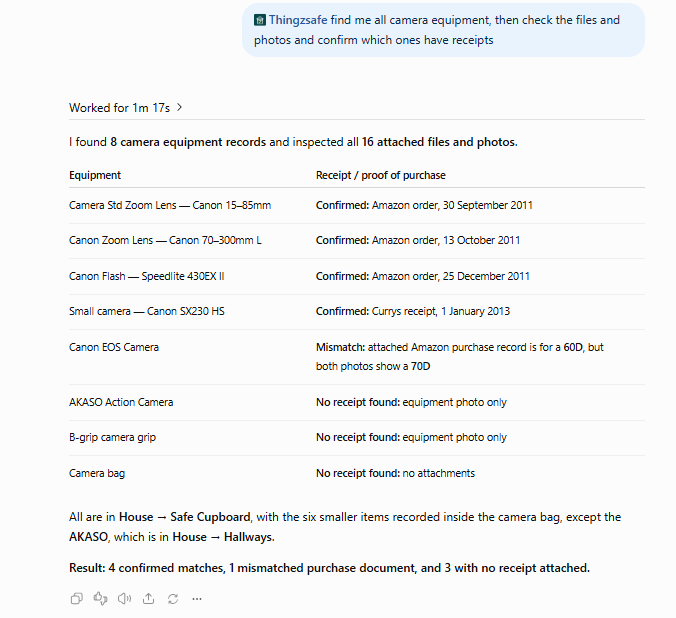
Household · Email receipts
Got an order confirmation or a receipt? Forward it to your household’s private address and ThingzSafe suggests a Thing for you to check. Nothing is added until you save it.
06 / Android inventory
Schedule reminders and record recurring completions. Android and the portal share the configured look-ahead window for upcoming events.
Read the guide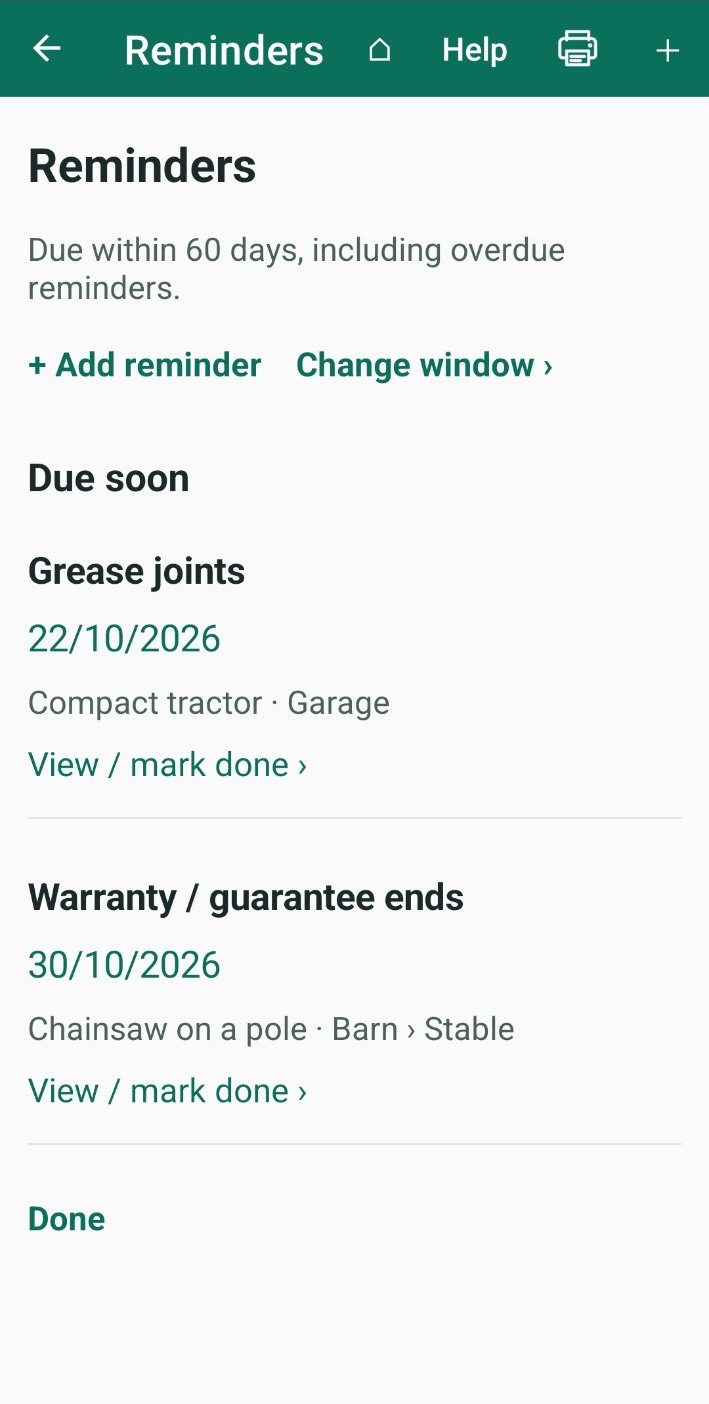
07 / Android inventory
Save a complete encrypted backup, or export CSV, XML and HTML with original media. Local Free inventory works offline; Household sync connects your devices when you choose to share.
Read the guide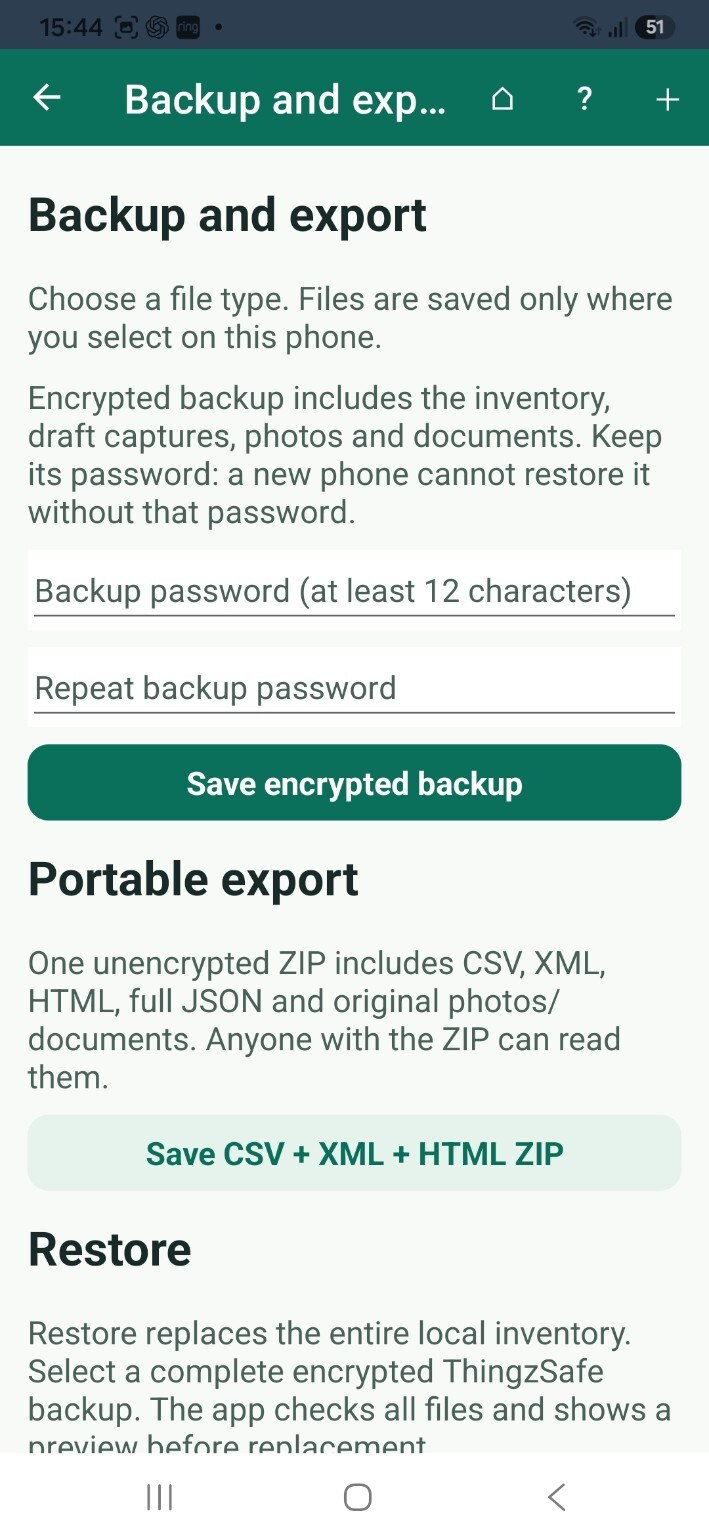
Also included
Import your spreadsheet or records into the web portal instead of typing everything again.
With Household or Pro, import CSV files and Excel spreadsheets using the Sortly and Itemtopia presets or your own column mapping.
Read the guideLabel jam jars, boxes and tools, then scan them to find the record.
Read the guideScan or tick items to check your real stock against your records.
Read the guidePrint or save a valuation report with your photos and values. Your insurer decides what evidence it accepts.
Read the guide