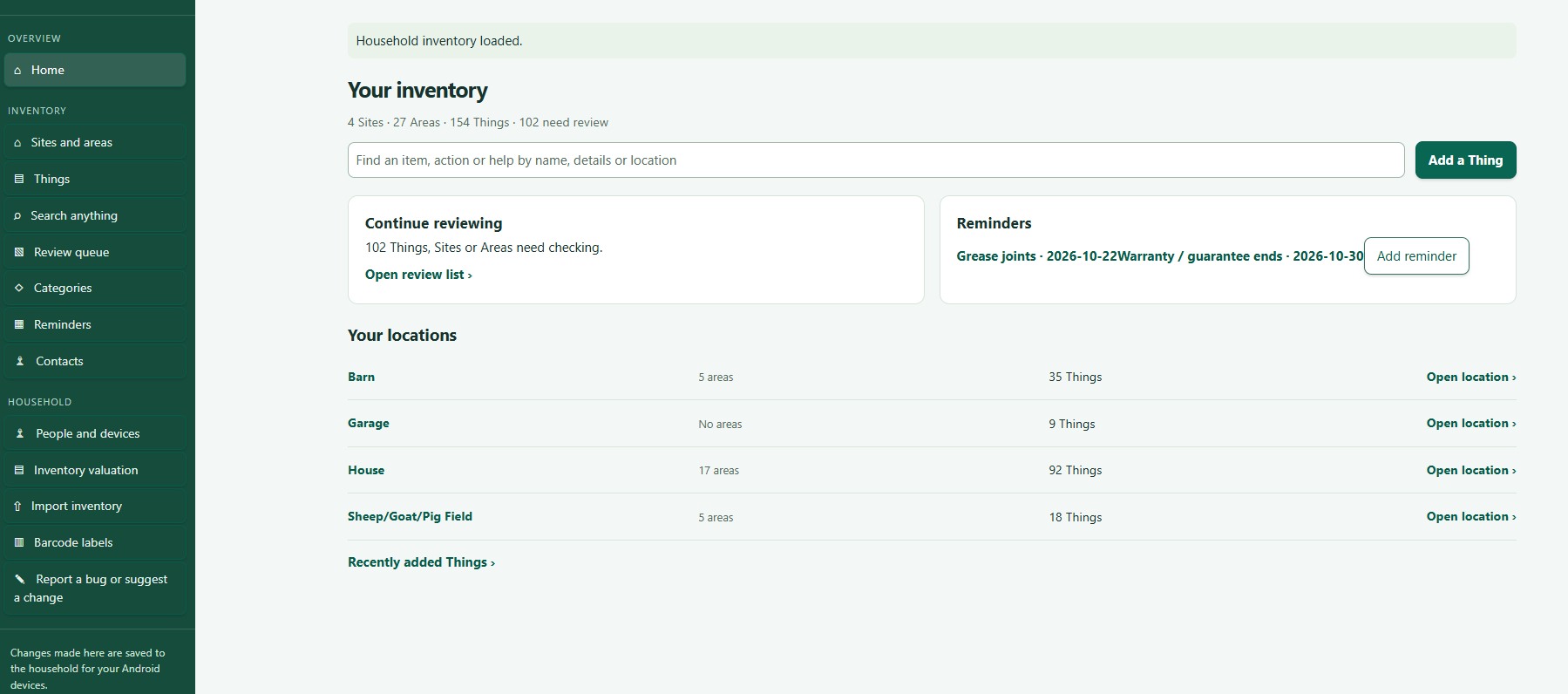
Home shows counts for your inventory, upcoming reminders and recently added Things.
Use Sites and areas to browse your places, or Things for the full list.
Search this list filters what is on screen. Search anything looks across everything. See Search and filter records.
Select a name or card to open a Site, Area or Thing. The trail of links at the top takes you back up.
The menu
The menu down the side lists Home, Sites and areas, Things, Search anything, Review queue, Categories, Reminders, Contacts, People and devices, Inventory valuation, Import inventory and Barcode labels. Use Refresh to load the latest changes, and Help for a short guide to the screen you are on.
Using a phone or tablet
On smaller screens the menu becomes a strip across the top. Swipe it sideways to see more.
Forms stack in a single column.
Wide tables and grids scroll sideways. A computer or large tablet is easier for editing lots of records.
 ThingzSafe