 ThingzSafe
Android
Finding your way around
Find your inventory, search and open the app tools.
Where to start
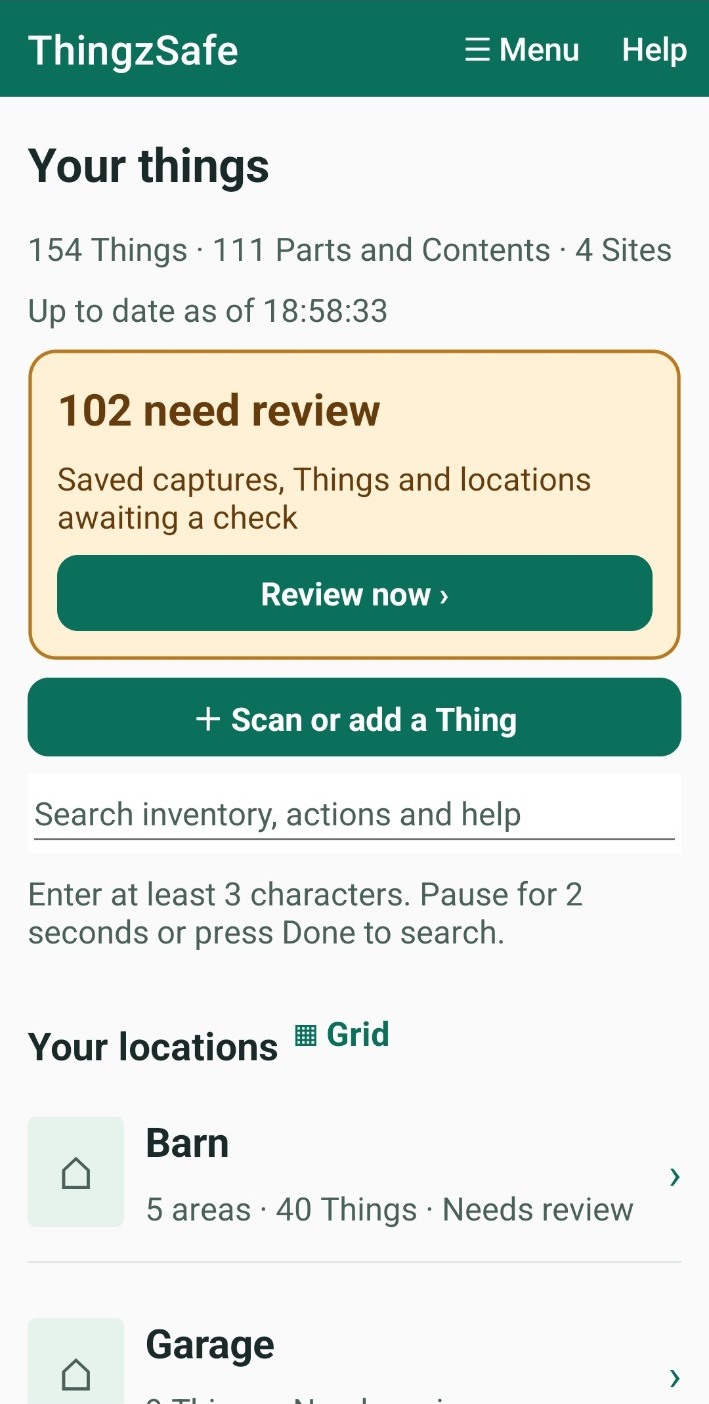
Android: Home
Browse your inventory
Search
Use the search box at the top of Home to find Things, app actions and help topics. Type at least 3 characters, then wait 2 seconds or tap Done. Clear the box to go back to your Sites. For more, see Find a Thing.
Add something new
Tap + Scan or add a Thing to scan a barcode, take photos, or type details. See Add and edit a Thing.
Check what needs attention
- Review now opens saved captures and records that need checking. See Review your captures.
- Upcoming & overdue lists reminders that are due soon or late. Tap View all events to see them all. See Calendar and repeating reminders.
Get help on any screen
- Tap Help at the top of the screen. A short guide to that screen appears.
- Tap Close to hide the guide.
- Tap More help to open the full guide on the ThingzSafe website.
Good to know: You can also open the website guide from Menu App Help.
Need more help or have a suggestion? Contact us.